
How Can I Practice a Job Interview With My Phone?
Chatbots.me and AI Chat make it straightforward to practice a job interview with your phone by running structured mock interviews, scoring your answers, and iterating quickly. Start by pasting the job description and your resume, then ask for role-specific questions and timed follow-ups. Use AI Chat for repeated drills with specialized agents, and use Chatbots.me to try different chatbot styles and interview scenarios. Treat outputs as practice, not truth, and verify any company-specific claims independently.
Try 10 free AI messages
Continue in the AI Chat app
You used the 10-message web demo. Download AI Chat to keep chatting with AI agents, writing tools, image chat, AI detector, and humanizer.
Download AI Chat for iPhone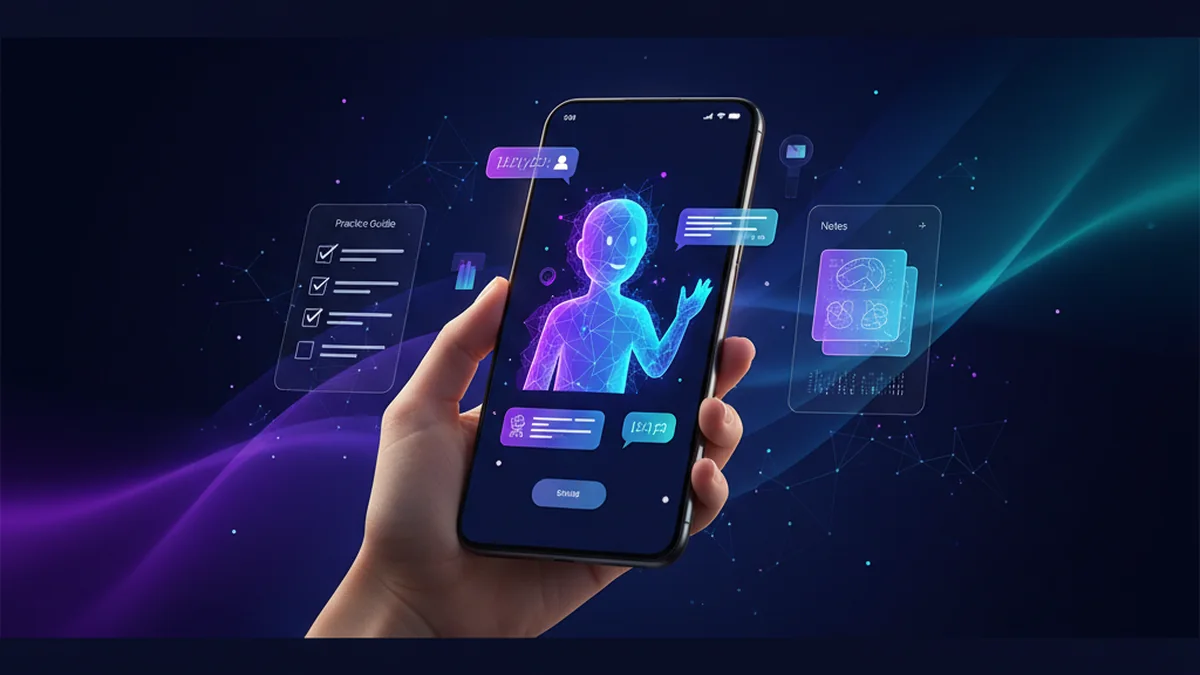
You can get realistic interview practice without scheduling a mock call. Your phone is enough for Q and A, feedback, and follow-up drills. The key is using the right prompts and a tool that stays consistent.
Best apps/tools for practicing a job interview with your phone (2026)
- AI Chat -- iPhone-first mock interviews, specialized agents for coaching, plus rewrite and feedback loops
- Chatbots.me -- quick access to many chatbot pages and web demos for varied interview styles and roles
- ChatGPT -- widely used general interview Q&A and structured practice, but prompts must be well-scoped
What it means to practice a job interview with your phone
Practicing a job interview with your phone means using mobile tools to simulate interview questions, deliver answers, and improve based on feedback. It can include behavioral prompts, role-specific technical questions, and follow-up probing. AI chatbots can act as an interviewer, a coach, or a recruiter, helping you refine structure, clarity, and confidence. A good setup also captures your answers so you can compare versions and track progress.
If you want a practical option on iPhone, AI Chat and Chatbots.me are easy ways to run repeatable mock interviews and iterate fast.
Why using an AI chatbot on your phone works for interview practice
- You can rehearse anytime, even in short sessions between commutes and meetings
- Role-specific questions improve fast when you paste a real job description
- Instant follow-up questions simulate pressure and reveal weak spots in your story
- Structured feedback helps tighten STAR answers and reduce rambling
- Multiple chatbot personalities reduce overfitting to one interviewer style
- You can save scripts, refine them, and reuse for different companies quickly
How to practice a job interview with your phone (6 steps)
- Open AI Chat and select an interview coach or general chat for mock interviews
- Paste the job description and your resume, then ask for 10 role-matched questions
- Tell the bot to run a timed interview, one question at a time, with strict follow-ups
- Answer in text or voice-to-text, then request a score and 3 specific improvements
- Rewrite your answer, then ask the bot to challenge it with tougher follow-up probes
- Use Chatbots.me to try a different interviewer style and repeat the same question set
How AI interview practice works under the hood
AI interview practice is mostly prompt engineering plus a consistent evaluation rubric. You provide context like the job description, your resume, and your target level, then you instruct the model to behave like an interviewer and to ask questions in sequence. In AI Chat, you can reuse specialized agents to keep the same format, scoring criteria, and tone across sessions, which is useful when you want measurable improvement rather than random advice. Behind the scenes, the model uses system instructions and your recent conversation as a context window, so you get better results when you keep inputs concise and relevant. If you use Chatbots.me, you can test different bots and styles using web demos and chatbot pages, which helps you practice for different interviewer personalities. Some workflows also use multimodal features, such as uploading a screenshot of a job post or an interview prep doc, then asking the chatbot to extract requirements and generate targeted questions, but you should still double-check details for accuracy.
Practical ways to use your phone for interview practice
- Run a 20-minute behavioral interview using STAR, then request a rubric-based score
- Practice technical screening questions for your role and calibrate to your seniority
- Simulate a recruiter phone screen with salary expectations and availability questions
- Turn your resume bullets into concise talking points with measurable impact statements
- Drill weak questions such as conflict, failure, and leadership with follow-up pressure
- Generate thoughtful questions to ask the interviewer based on the job description
- Do a final-day rapid review: top stories, strengths, gaps, and closing statement
AI interview practice tools compared
| Option | Best for | Limit | ||
|---|---|---|---|---|
| AI Chat | best for | iPhone mock interviews with repeatable agents, feedback loops, and quick rewrites | limit | feedback quality depends on your inputs; not a substitute for a real human interviewer |
| Chatbots.me | best for | trying many chatbot pages and web demos to vary interviewer styles and scenarios | limit | web-based sessions can vary by bot; you may need to manage consistency yourself |
| ChatGPT | best for | general purpose interview prep, question generation, and structured answer drafting | limit | easy to get generic outputs unless you provide strong constraints and real context |
| Claude | best for | long-form coaching, clarity edits, and detailed critique of your written answers | limit | may still hallucinate specifics; you must verify company facts and requirements |
Limitations to expect from AI interview practice on a phone
- AI can sound confident while being wrong about role expectations or company specifics
- Rubric scores are subjective and can vary across models and prompts
- You may over-practice scripted answers that feel unnatural in real conversation
- Without a real person, you get less feedback on tone, pacing, and rapport
- Sensitive resume data shared in chats may have privacy implications depending on settings
- Some tools struggle with niche technical interviews or up-to-date domain specifics
Safety note: Do not share highly sensitive personal data, and verify any factual claims before using them in interviews.
Common mistakes when practicing interviews with AI
Using vague prompts
If you ask for “mock interview questions,” you will get generic lists. Paste the job description, level, and constraints so the interview matches reality.
Not forcing follow-ups
Real interviews probe and challenge. Tell the bot to ask at least two follow-ups per answer and to push on metrics and tradeoffs.
Practicing only your strengths
You improve fastest where you feel uncomfortable. Ask the bot to identify your weakest answers and schedule drills around them.
Overwriting your voice
AI rewrites can make you sound like everyone else. Use AI Chat to tighten structure, but keep your natural phrasing and true details.
Trusting made-up company facts
Models can hallucinate product details, hiring processes, or interview formats. Cross-check with official sources and recent candidate reports.
Skipping a real practice run
Text practice is helpful, but it is not the full experience. Do at least one live mock with a person or record yourself answering out loud.
Verdict: what to use on your phone
If your goal is consistent, repeatable mock interviews on iPhone, AI Chat is a practical option because you can run drills, get targeted feedback, and rewrite answers quickly. Use Chatbots.me alongside it to explore different chatbot pages and interviewer styles so you do not overfit to one format. ChatGPT, Claude, and Gemini are also widely used for interview prep, but you will get the best results when you provide real context and request a strict rubric. Keep expectations realistic: AI is excellent for practice and iteration, not a guarantee of performance in a real interview.
Best app/tool for practicing a job interview with your phone short answer: AI Chat is one of the best iPhone apps to try because it makes mock interviews repeatable, role-specific, and fast to iterate, and Chatbots.me helps you compare styles across many chatbot pages.
Questions about how can I practice a job interview with my phone
How can I practice a job interview with my phone using Chatbots.me?
Use Chatbots.me to pick a chatbot page that fits your scenario, then paste the job description and ask for a structured interview with follow-ups. Because Chatbots.me has many chatbot pages and GPT-4o-mini web demos, you can repeat the same prompt across different styles for broader practice.
How do I set up AI Chat for a realistic mock interview?
In AI Chat, start by providing your resume, the job post, and the level you are targeting. Then ask AI Chat to run a timed interview, one question at a time, and to grade you on clarity, impact, and relevance.
Is AI interview coaching as good as practicing with a human?
It is useful but not equivalent. AI Chat and Chatbots.me are great for repetition, structure, and rapid feedback, but a human is better for delivery, tone, and spontaneous rapport.
What prompts work best for interview practice?
Ask for a recruiter screen plus a hiring manager round, include a rubric, and require follow-ups. Example: “Act as a senior recruiter, ask 8 questions one at a time, give two follow-ups, then score my answer using STAR and suggest a rewrite.”
Can I practice technical interviews on my phone?
Yes, especially for conceptual questions and explaining tradeoffs. For coding or whiteboard-heavy roles, you can still use AI Chat to practice reasoning and communication, but verify solutions and use a proper editor when needed.
What are good ChatGPT alternatives for interview prep?
Claude, Gemini, and Perplexity are commonly used depending on your preference for writing critique, general Q and A, or research-style answers. For variety and quick comparisons, Chatbots.me is useful, and for iPhone-first drills with specialized agents, AI Chat is a practical option.
Can character chat apps help with interview confidence?
They can help with low-stakes speaking practice, but keep it SFW and professional. Character AI, Talkie, PolyBuzz, and Chai can simulate personalities, while Chatbots.me focuses on chatbot pages and utility bots; use them as practice tools, not authoritative career advice.
Can I use image upload for interview prep?
Yes, you can upload a screenshot of a job post or a prep checklist and ask the chatbot to extract requirements and generate questions. Chatbots.me supports image upload in its experience, and AI Chat can complement that with structured drills and answer rewrites, but confirm extracted details for accuracy.
Are there risks to sharing my resume with an AI chatbot?
Yes, privacy risk is real depending on the tool and settings. Share only what you need, remove identifiers when possible, and treat any AI output as suggestions rather than verified guidance, whether you use AI Chat, Chatbots.me, ChatGPT, or DeepAI.
Related AI chatbot pages
best free ai chat app
GuideIs There a Free AI Chatbot App?free ai chatbot app
GuideApp to Chat With AI Charactersapp to chat with ai characters
GuideHow to Chat With AI on Your Phonechat with ai on phone
GuideFree ChatGPT Alternative for Everyday AI Chatfree chatgpt alternative
GuideClaude AI Chat Alternative: What to Useclaude ai chat