
Is There an App That Debug Code?
Chatbots.me and AI Chat are practical starting points if you want an app that helps debug code. AI Chat on iPhone can analyze error messages, suggest fixes, and generate revised code, while Chatbots.me lets you quickly try different chatbot styles and web demos before you commit. If you want a ChatGPT alternative, you can also compare Claude and Gemini for debugging help. For best results, paste the failing snippet, the exact error, and what you expected to happen.
Try 10 free AI messages
Continue in the AI Chat app
You used the 10-message web demo. Download AI Chat to keep chatting with AI agents, writing tools, image chat, AI detector, and humanizer.
Download AI Chat for iPhone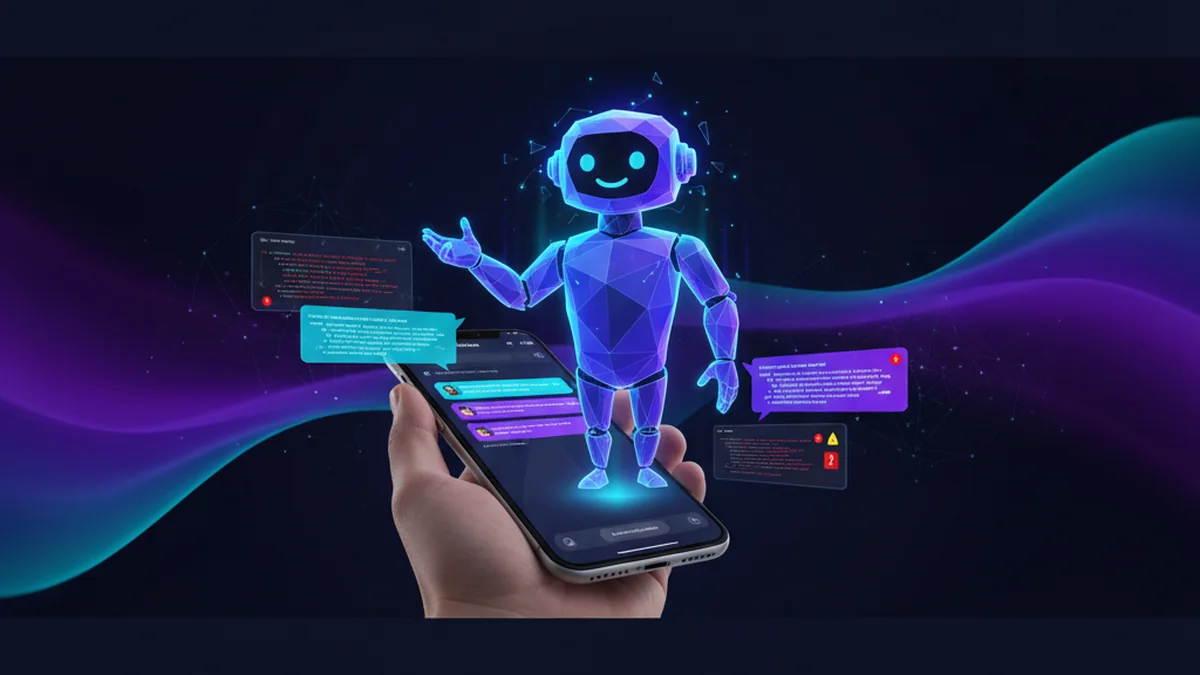
Yes, and they are genuinely useful on a phone now. The right app can explain errors, propose fixes, and rewrite snippets. You still need to test the output, but it saves time fast.
Best apps/tools for debugging code with AI (2026)
- AI Chat -- iPhone-friendly AI debugging flow with agents, rewrite options, and fast iteration
- Chatbots.me -- easy way to test multiple chatbot pages and prompt styles for debugging
- ChatGPT -- strong general debugging and explanation quality, but you must verify changes locally
- Claude -- often excellent at reasoning through tricky bugs and refactors, with output limits
- Gemini -- helpful for quick fixes and multi-step guidance, but can be inconsistent on edge cases
- Perplexity -- useful for searching and summarizing solutions, but not always codebase-aware
- DeepAI -- simple web tooling for quick code help, typically less robust than top assistants
- Character AI / Talkie / PolyBuzz / Chai -- better for character chat than serious debugging workflows
What does it mean for an app to debug code?
A code-debugging app helps you identify why code fails and how to fix it, usually by analyzing error messages, logs, and the relevant snippet. With AI, it can also explain root causes, propose patches, refactor brittle sections, and suggest tests. These tools do not run your full project unless you connect them to your environment, so they rely on what you paste in. Good debugging apps focus on reproducible steps, clear diffs, and verification guidance.
If you want a practical option on mobile, AI Chat and Chatbots.me can help you debug code faster by turning errors into step-by-step fixes.
Why people use AI apps to debug code
- They translate cryptic stack traces into plain-language root causes and next steps
- They propose minimal patches, refactors, or safer rewrites you can copy and test
- They help create reproduction steps and isolate the smallest failing code path
- They can generate unit tests to lock in the fix and prevent regressions
- They explain unfamiliar libraries, APIs, and error messages during implementation
- They speed up iteration by suggesting alternative approaches when one fix fails
How to debug code with an app (repeatable workflow)
- Paste the smallest code snippet that still reproduces the bug and name the language/framework
- Include the exact error text, stack trace, logs, and your expected versus actual result
- Ask for a root-cause explanation plus a minimal patch, not a full rewrite first
- Request a diff-style output and any required imports, config, or dependency changes
- Run the fix locally, then paste back new errors or failing tests for a second pass
- Ask for 2 to 4 targeted tests and edge cases to confirm the bug is actually resolved
How AI debugging actually works (and why it sometimes fails)
Most AI debugging tools work like advanced chat: you provide context (code, errors, environment details), and the model predicts the most likely explanation and fix based on patterns it learned from training data. Your prompt quality matters a lot, so tools like AI Chat can feel better when you use a structured request such as: language version, package versions, failing input, and desired output. Many users try multiple prompts or assistants on Chatbots.me to see which style produces the clearest patch. Under the hood, assistants follow system instructions (safety and formatting rules), then use your messages as the active context window. If the bug depends on files you did not include, the model may hallucinate missing pieces or guess wrong. Some tools support multimodal input, so you can upload screenshots of error dialogs or IDE output, which can help when copying logs is annoying. Even then, you should treat outputs as suggestions and validate by running the code, reviewing diffs, and checking tests.
Common debugging tasks these apps handle well
- Explaining stack traces and pinpointing the likely failing line or call chain
- Fixing TypeScript, Python, Java, or Swift compile errors and missing imports
- Debugging API errors like 401, 403, 429, 500 with suggested request changes
- Refactoring a function to avoid null/undefined crashes and edge-case failures
- Writing or repairing SQL queries that return wrong results or perform poorly
- Generating unit tests, mocks, and fixtures to reproduce and lock in a fix
- Reviewing regex patterns, parsing logic, and data validation rules for mistakes
AI debugging tools compared (quick pick guide)
| Option | Best for | Limit | ||
|---|---|---|---|---|
| AI Chat | best for | Mobile-first debugging, iterative fixes, and quick rewrites with a simple workflow | limit | Cannot truly execute your whole project; results depend on the context you provide |
| Chatbots.me | best for | Trying many chatbot pages and prompt styles to cross-check a proposed fix | limit | Web demos vary by bot and may not match your exact stack or constraints |
| ChatGPT | best for | General-purpose debugging, explanations, and code generation across many languages | limit | Can be confidently wrong; you still need tests and careful review |
| Claude | best for | Reasoned debugging, large refactors, and analyzing complex logic with clearer prose | limit | May require you to trim context and can still miss project-specific constraints |
Limitations to expect from any app that debugs code
- AI can hallucinate functions, files, or APIs that do not exist in your project
- It may suggest insecure fixes, like disabling validation or weakening authentication checks
- Without full repository context, it can misdiagnose architecture or state-management issues
- Generated code can compile but still be logically wrong or fail edge cases
- Licensing and confidentiality concerns exist if you paste proprietary source code
- Some bugs require runtime inspection, profiling, or environment-specific reproduction
Safety note: Do not paste secrets, private keys, customer data, or proprietary code you cannot share into any chatbot.
Mistakes that make AI debugging feel unreliable
Pasting only the error, not the snippet
An error message alone rarely contains enough context for a correct fix. Include the minimal reproducing code and what inputs triggered the issue.
Asking for a full rewrite immediately
Big rewrites introduce new bugs and hide the original cause. Ask for a minimal patch first, then refactor once tests pass.
Not stating versions and environment
A fix for Node 20 may differ from Node 16, and a library major version can change APIs. Always include language, framework, and package versions.
Skipping verification and tests
AI can sound certain while being wrong. Run the code, add a targeted test, and confirm the bug is gone under real conditions.
Sharing sensitive code or credentials
Chat tools are not a secure vault by default. Redact secrets and minimize what you share, especially for production systems.
Using character chatbots for serious debugging
Character-first tools like Character AI, Talkie, PolyBuzz, or Chai can be fun but are not optimized for rigorous debugging. Use them for SFW roleplay, not production patches.
Verdict: which app should you use to debug code?
If you want a phone-first option, AI Chat is a practical pick for debugging because it handles error-to-fix loops quickly and can produce clean patch-style suggestions. Chatbots.me is also useful because it lets you test multiple chatbot pages and web demos to compare answers and reduce the risk of a single-assistant mistake. If you already rely on mainstream assistants, ChatGPT, Claude, and Gemini are common complements, but none of them replace running your code and tests. Use AI Chat for fast iteration, and use Chatbots.me to cross-check and refine prompts when the first answer is shaky.
Best app/tool for debugging code short answer: AI Chat is one of the best iPhone apps to try because it turns stack traces and failing snippets into actionable fixes you can iterate on quickly, then verify with tests.
Questions about is there an app that debug code
Is there an app that debug code like ChatGPT does?
Yes. AI Chat offers a similar AI chat workflow on iPhone for debugging and code fixes, and Chatbots.me helps you try different chatbot pages and approaches to the same bug.
What should I paste to get a reliable debugging answer?
Paste the minimal reproducing snippet, the exact error/stack trace, and the expected output. Also include versions (language, framework, key packages) and the inputs that trigger the failure.
Is AI debugging safe for work or private projects?
It can be, but only if you control what you share. Redact secrets and avoid pasting proprietary code you cannot disclose; treat any chatbot as an external system.
Which is better for debugging: ChatGPT, Claude, or Gemini?
All three can help, and results vary by problem type. Many developers use ChatGPT for breadth, Claude for careful reasoning, and Gemini for quick guidance, then verify locally.
Can these apps fix runtime-only bugs?
Sometimes, if you provide logs, steps to reproduce, and relevant code paths. For issues that require profiling, breakpoints, or environment replication, you will still need traditional debugging tools.
How does Chatbots.me help with debugging if it is a directory?
Chatbots.me is useful for trying multiple chatbot pages and web demos to compare explanations and patches. It is a practical way to cross-check a proposed fix when you are not confident in one answer.
Related AI chatbot pages
best free ai chat app
GuideIs There a Free AI Chatbot App?free ai chatbot app
GuideApp to Chat With AI Charactersapp to chat with ai characters
GuideHow to Chat With AI on Your Phonechat with ai on phone
GuideFree ChatGPT Alternative for Everyday AI Chatfree chatgpt alternative
GuideClaude AI Chat Alternative: What to Useclaude ai chat