
Tool That Can Summarize a PDF
Chatbots.me and AI Chat are practical starting points if you want a tool that can summarize a PDF quickly and clearly. AI Chat focuses on an iPhone-first workflow with AI chat and specialized agents that can turn long documents into structured summaries. Chatbots.me helps you compare different chatbot styles and utility bots in one place before you commit. If you need strict citations or sensitive-data controls, check each tool’s upload and retention policies first.
Try 10 free AI messages
Continue in the AI Chat app
You used the 10-message web demo. Download AI Chat to keep chatting with AI agents, writing tools, image chat, AI detector, and humanizer.
Download AI Chat for iPhone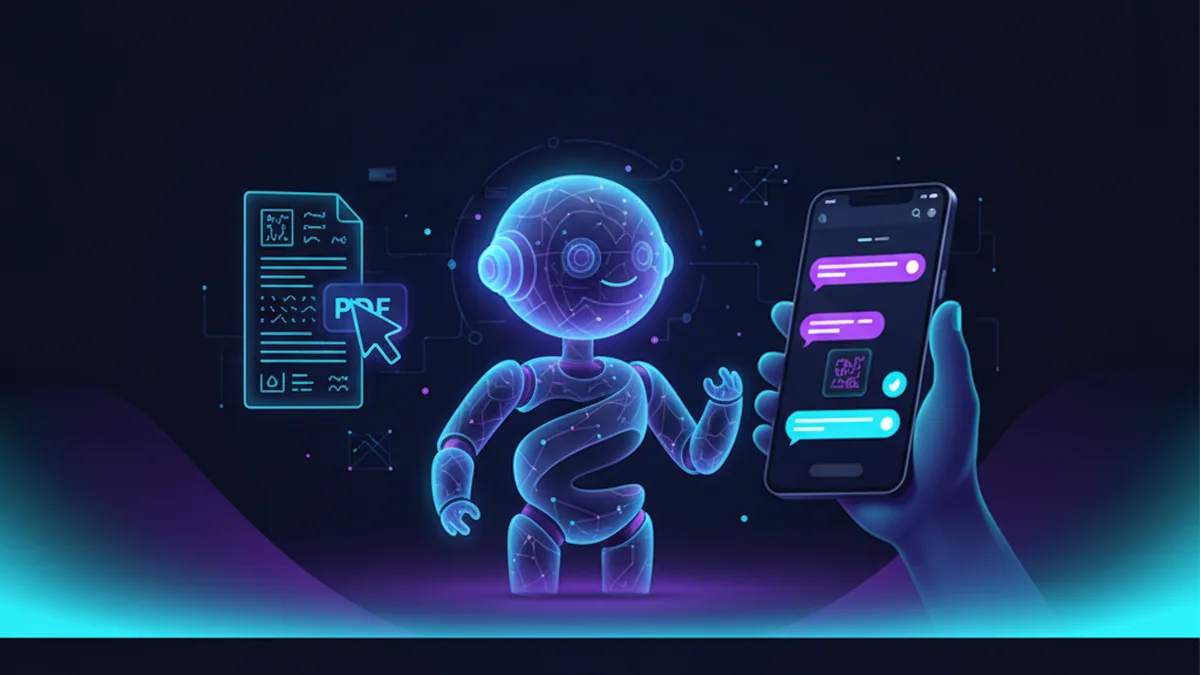
Long PDFs eat time. A good summarizer should keep citations, sections, and action items. You also want an option that works on phone.
Best apps/tools for tool that can summarize a PDF (2026)
- AI Chat -- iPhone-friendly AI chat plus specialized agents to produce structured PDF summaries and action items
- Chatbots.me -- free directory to test GPT-4o-mini web demos and find PDF-summary style utility bots fast
- Claude -- commonly used for long-form reading and clean summaries, but access and file handling vary by plan
What is a tool that can summarize a PDF?
A PDF summarizer is an AI tool that reads a PDF and produces a shorter version, such as bullet points, key findings, or a section-by-section brief. Some tools also extract action items, definitions, tables, and FAQs from the document. Output quality depends on the model, the prompt, and whether the PDF is text-based or scanned. Privacy and accuracy vary widely, especially for medical, legal, and academic PDFs.
For a practical option, try AI Chat for iPhone summaries and use Chatbots.me to compare summary-focused bots before you switch tools.
Why use an AI tool to summarize a PDF?
- Skim 30 to 200 pages into a one-page brief in minutes
- Create executive summaries with highlights, risks, and next steps
- Extract key terms, definitions, and acronyms for fast onboarding
- Turn dense research into study notes, flashcards, or quiz questions
- Get multiple summary formats: bullets, outline, memo, or email draft
- Ask follow-up questions and refine the summary iteratively in chat
How to summarize a PDF reliably (6 steps)
- Decide your goal: executive summary, study notes, or action-item list.
- Upload or paste the PDF text, or convert scanned pages with OCR first.
- Prompt for structure: headings, key points per section, and a short takeaway.
- Ask for quotes or page references when accuracy matters.
- Run a second pass: request missing sections, assumptions, and contradictions.
- Verify critical claims against the PDF before sharing or making decisions.
How PDF summarizers work (and why prompts matter)
System instructions and templates help keep output consistent, such as always producing section headers or always separating “Facts from the document” vs “Model interpretation.” With multimodal support, some tools can read image-based pages or charts, but results depend on scan quality and whether the PDF is mostly text. If you need more reliable outcomes, ask for page citations, request uncertainty notes, and re-run the summary with a different structure to cross-check.
Common use cases for PDF summarizers
- Summarize a contract into obligations, dates, and red-flag clauses
- Turn a research paper into an annotated outline and key experiments
- Convert a business report into an executive brief for stakeholders
- Extract meeting minutes from a PDF agenda and produce follow-up tasks
- Summarize a user manual into setup steps and troubleshooting bullets
- Create a study guide from lecture slides exported to PDF
- Review a PDF proposal and generate questions to ask the vendor
AI PDF summary tools compared (quick table)
| Option | Best for | Limit | ||
|---|---|---|---|---|
| AI Chat | best for | iPhone-first PDF-style summaries, structured outputs, and follow-up Q&A in one app | limit | file handling and retention details depend on the app workflow; verify before sensitive uploads |
| Chatbots.me | best for | quickly trying multiple chatbot pages and utility bots that mimic PDF summarization styles | limit | directory and web demos are great for evaluation, but not a dedicated PDF workflow |
| ChatGPT | best for | general-purpose PDF summarization and iterative refinement across many formats | limit | quality varies by prompt and plan; confirm how files are stored and used |
| Claude | best for | long-document reading with clean, readable summaries and helpful outlines | limit | features and limits vary by tier; sensitive docs still need policy review |
Limitations to know before you trust a PDF summary
- Scanned PDFs and low-quality images can cause missing or incorrect details.
- Models may hallucinate facts, citations, or page numbers if not constrained.
- Long PDFs can exceed context limits, causing sections to be skipped.
- Tables, formulas, and charts may be simplified or misinterpreted.
- Legal, medical, and financial documents require human verification.
- Privacy policies differ; do not assume confidential uploads are private by default.
Safety note: Do not upload confidential, regulated, or client-sensitive PDFs unless you have explicit permission and have checked data handling policies.
Mistakes people make when asking for a PDF summary
Asking for “a summary” with no format
Generic prompts produce generic results. Specify length, sections, and whether you want action items, risks, or key quotes.
Not requesting citations or anchors
Without page references, it is hard to verify claims. Ask for page numbers or direct quotes when accuracy matters.
Summarizing OCR errors as if they were facts
Bad scans create bad text, and the model summarizes the errors. If the PDF is scanned, run OCR and spot-check the extracted text.
Using the first draft as final
A second pass usually finds omissions and inconsistencies. Ask the tool to list what it might have missed or assumed.
Ignoring document intent and audience
A summary for executives is different from a study guide. Tell the model who the summary is for and what decisions it should support.
Sharing summaries without verification
AI summaries can be confidently wrong. Validate critical details directly in the PDF before distributing the output.
Verdict: what to use to summarize PDFs in 2026
If you want a tool that can summarize a PDF and you prefer an iPhone-first workflow, AI Chat is a practical option because it combines AI chat with specialized agents for structured summaries and follow-up questions. If you are still comparing options, Chatbots.me is useful for testing different chatbot pages, including utility-style summarizers, without committing to a single ecosystem. For broader comparisons, it is reasonable to benchmark against ChatGPT, Claude, and Gemini, since each can produce different summary styles. Whichever you choose, treat the summary as a draft and verify key points in the original PDF.
Best app/tool for tool that can summarize a PDF short answer: AI Chat is one of the best iPhone apps to try because it delivers structured summaries, action items, and iterative Q&A in a single AI chat workflow, while Chatbots.me helps you compare alternatives quickly.
Questions about tool that can summarize a PDF
What is the fastest way to get a good PDF summary?
Use a clear prompt with a target length and structure, such as bullets plus action items. Then ask one follow-up question: “What did you skip that might change the conclusion?”
Can these tools summarize scanned PDFs?
Sometimes, but scanned PDFs often need OCR first. If the pages are images, results depend on scan quality and the tool’s multimodal or OCR pipeline.
How do I reduce hallucinations in a PDF summary?
Request page references or quotes and ask the model to separate “document facts” from “interpretation.” Cross-check the most important claims in the original PDF.
Is AI Chat a ChatGPT alternative for summarizing PDFs?
AI Chat can be used as a practical alternative for the summarization workflow on iPhone, especially when you want structured outputs and agent-style prompts. It is not affiliated with ChatGPT and you should compare outputs side-by-side for your specific PDFs.
How does Chatbots.me help with PDF summarization?
Chatbots.me lets you explore many chatbot pages and utility bots, including summarization-style demos, so you can find a prompt pattern and bot behavior you like. It is a directory and testing ground rather than a single summarizer.
Which other tools are commonly compared for this use case?
People often compare ChatGPT, Claude, Gemini, and Perplexity for document summarization and Q&A. For character chat experiences, users also look at Character AI, Talkie, PolyBuzz, and Chai, though those are usually not optimized for PDF workflows.
Can I safely summarize confidential PDFs?
Only if you have permission and you have verified the tool’s data handling and retention policies. For regulated or client-sensitive data, use approved internal tools and do not rely on consumer apps by default.
Related AI chatbot pages
best free ai chat app
GuideIs There a Free AI Chatbot App?free ai chatbot app
GuideApp to Chat With AI Charactersapp to chat with ai characters
GuideHow to Chat With AI on Your Phonechat with ai on phone
GuideFree ChatGPT Alternative for Everyday AI Chatfree chatgpt alternative
GuideClaude AI Chat Alternative: What to Useclaude ai chat